0800 FIX NOW 

(0800 349 669) 
160b Selwyn St, Christchurch

Our Commitment to a Sustainable Future

We love being green and are always pushing forward into new ways to be more ecologically sensitive and sustainable.

Computer Help NZ and the Sustainable Business Network

At Computer Help NZ, sustainability is not a new idea for us. For many years we have taken practical steps to reduce waste, extend the life of technology, and help customers get more value from the equipment they already own.

In 2026 we strengthened that commitment by becoming an Impact Investor with the Sustainable Business Network (SBN).

The Sustainable Business Network is Aotearoa New Zealand’s largest sustainable business organisation. It brings together businesses, councils, community organisations and innovators who are working towards a future where both people and nature can thrive.

chch green sustainability

What “Impact Investor” Means

When a business joins the Sustainable Business Network it becomes an Impact Investor. This means the organisation is contributing financially to the work SBN does to address major environmental and social challenges.

Rather than investing for a financial return, Impact Investors support projects and programmes that create measurable benefits for nature, communities and the wider economy.

Through this investment, Computer Help NZ is helping support initiatives that focus on:

  • Climate action and reducing emissions
    • Reducing waste and supporting circular economy ideas
    • Regenerating nature across Aotearoa New Zealand
    • Helping businesses transition toward more sustainable practices

These initiatives are driven by collaboration between hundreds of organisations that are all working toward a more sustainable future.

Supporting Nature Regeneration

One of the programmes supported by the Sustainable Business Network is Connect for Nature. This initiative connects businesses with community projects that restore forests, wetlands, rivers and coastlines across New Zealand.

Projects include activities such as native planting, habitat restoration and environmental clean ups, helping regenerate ecosystems while also building stronger connections between businesses and communities.

By being part of the SBN network, Computer Help NZ contributes to this wider movement of businesses investing in the restoration of our natural environment.

How This Connects to What We Already Do

Our involvement with the Sustainable Business Network builds on sustainability steps we have taken over many years.

Some of the practical ways Computer Help NZ works to reduce environmental impact include:

  • Repairing computers, laptops and desktops rather than replacing them wherever possible
  • Extending the life of laptops and desktop systems
  • Reusing and refurbishing technology – often donated to registered charities
  • Responsible recycling of electronic waste
  • Helping businesses maintain and upgrade systems so they last longer
  • Reducing unnecessary hardware purchases through smarter IT solutions
  • Practical steps like replacing air duster cans with a compressor, upgrading from fluorescent tubes to LED lighting, reducing the use of heatpumps.
  • Staff programs that incentivise walking, cycling and car pooling to work
  • Smart routing to keep travel by vehicles
  • The use of vehicles that minimise impact on the environment


Technology manufacturing has a significant environmental footprint. By repairing, refurbishing and maintaining equipment, we help reduce electronic waste and the need for new devices to be produced.

This practical approach to sustainability has always been part of how we operate.

Working Together for a Better Future

Joining the Sustainable Business Network is another step in our journey toward responsible business. It connects Computer Help NZ with a community of organisations that are working to improve environmental outcomes across Aotearoa New Zealand.

We believe small actions, when multiplied across many businesses, can create meaningful change.

Our goal is simple.
To run a successful business while also contributing positively to the communities and environment we depend on.

Being part of the Sustainable Business Network helps us do exactly that.

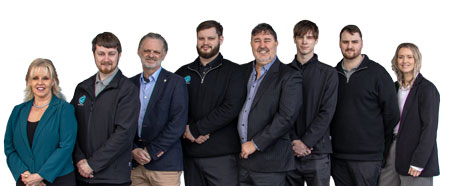
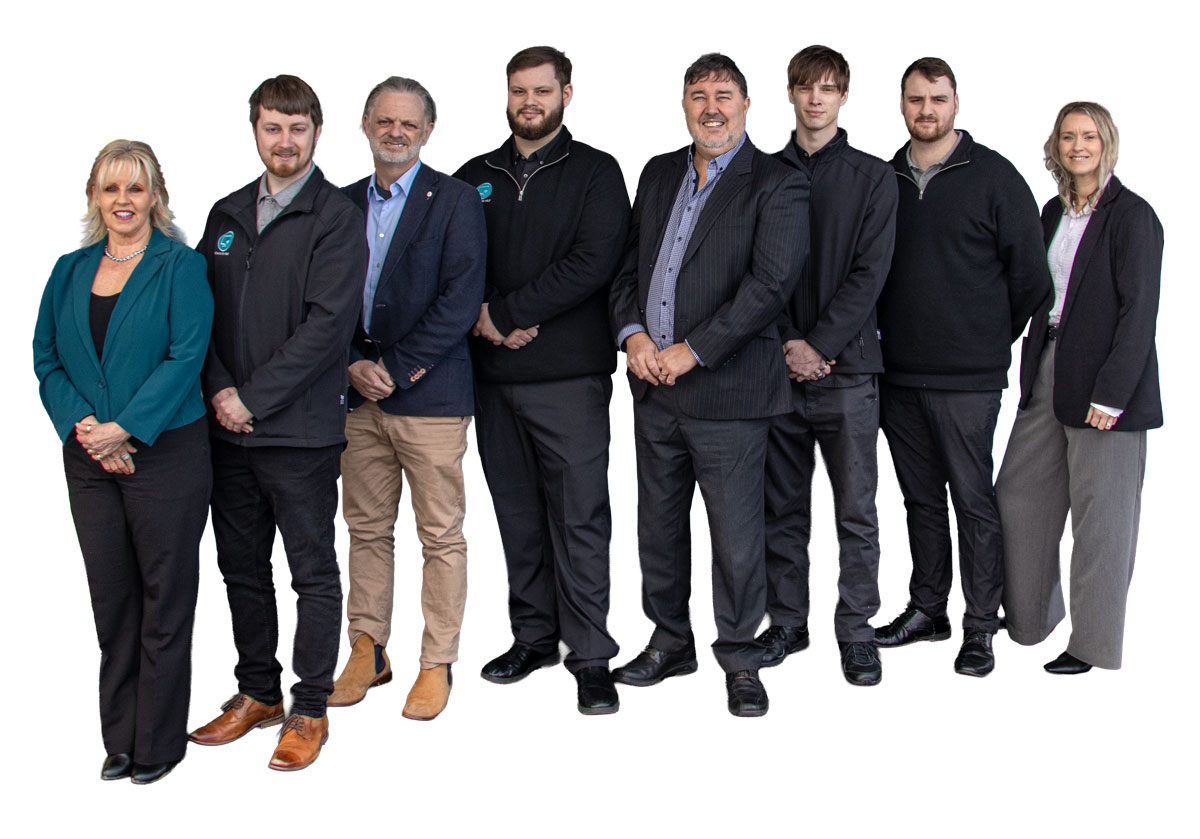
CHNZ Staff AUG25 11

Xtra Mail Now Charging for Email

Spark has announced it will be charging $5.95 per month to use what was previously a free service. They are not the first.

Should you change?

You may not appreciate the unexpected charge and decide you change on principle alone or on the very real possibility that they will increase prices in the future. Changing to a “free” email isn’t free initially as there is quite a bit to do to swap emails. If you feel comfortable to do this yourself, these are the three steps you need to complete.

xtra email cost


ONE – Sign Up To a New (and free) Email Server

Go to Google, Hotmail, Outlook or one of the many email services out there and sign up for a plan. Make sure when you sign up that you enter in all your information carefully and accurately. Be sure to use the two factor authentication option and enter your alternative contact very very very carefully. If you lose your password, then this will be your last chance to recover your email.

Be sure to choose a password that is reasonably secure and has not been hacked previously.
A secure password is simply long. Websites and other providers may want Capital letters and symbols and if they want it you will need to comply but the main thing is the length. Aim for a short phrase you can remember easily such as ‘catsaresupercute88*’
To check if the password you are thinking of using has been previously hacked go to this website and test it. https://haveibeenpwned.com/Passwords

Once you’ve signed up to a new email, send an email to all your friends (probably 50 at a time maximum, though!) to let them know your new email and to delete your old email address.


TWO – Transfer Your Old Emails to the New System

This one is much more complicated to describe. If you want to keep your old emails, you will need to transfer them to the new system. If you are using an email client you may be able to simply keep the emails as an archive and refer to them when you need to, but you will not be able to reply to them.

Depending on your system, we’d typically set up the new email address on whatever email program (email client) you are using, then start copying the emails to the new system. Going from Xtra to Gmail, this provides quite an advantage to you, as now your emails are in the cloud and safe from any disaster that may happen with your computer.


THREE – Update Websites

There will probably be several if not dozens of websites that use your old email address to log in.

You want to watch Netflix or buy something on TradeMe? Guess how you do that? By logging to the website…with your OLD email address.

Immediately that won’t cause a problem, but one day you will have to log again or change the password and since you don’t have access to your old email account you will lose access to your account on that website. No Netflix for you! And you just try calling them for support – doesn’t happen.

The solution is simple, but time-consuming. Update these websites NOW while you still have access to your original email address. You can get a list of sites with passwords by looking at your browsers list of saved passwords. This might help jog your memory for the ones you use less often but are still important.

  1. Make a list of the sites you commonly and regularly go to.
  2. Go to the site, sign in, change the email address.
  3. Some sites will want you to confirm the new email address by clicking on the link sent to your previous address.

If you are with Xtra Mail you will also need to complete the final step of cancelling the email service so they don’t charge you any more. You can do this by logging on the xtramail.co.nz site and cancelling there – OR you can give them a call.


If all this is too much for you, Computer Help NZ is ready to help. Whether you have a laptop, desktop or ipad we can help you with either step one, two or all three. And we have tiered pricing for each so you only pay for what service you need. Give us a call today for details.

Friendly Advice in Plain English.
0800 FIX NOW


Read More Below

https://www.spark.co.nz/myspark/myinternet/email/xtra-mail-changes/close-xtra-mail/#primary

https://www.spark.co.nz/myspark/myinternet/email/xtra-mail-changes.html

https://www.rnz.co.nz/national/programmes/middayreport/audio/2018928946/xtra-mail-to-increase-costs

email computer nz

Laptop Bundle Deals

Need a New Laptop?

Computer Help NZ has a variety of carefully curated computers for sale. We only sell the best, highest quality laptops and PCs. No lemons here - we refuse to sell them! So we fully stand by our computers and give extended guarantees where we can.

Quality, Ease, Warranty - why you should buy from us

Summary

Quality: With 25+ years of experience, we select laptops that are built to last and perform reliably, like the Acer Travelmate, which often lasts 8–9 years. Each laptop undergoes rigorous testing, a fresh Windows installation without bloatware, and includes useful applications for a smooth experience. For desktops, we carefully assemble and test hand-picked components to ensure high standards.

Ease: We make the transition to a new laptop seamless by transferring everything from your old device, unlike other services that only handle partial transfers. We want your new laptop experience to be enjoyable and hassle-free.

Warranty: Our warranty service is quick and reliable. Most repairs are done in 1–2 days, unlike the lengthy wait times common with third-party repairs. If needed, we even cover costs ourselves to provide a prompt replacement. Plus, you’ll always reach a real person when you need help, ensuring direct and supportive communication.

Quality

We don't like lemons.  This is because for the 25+ years we've been in business we have seen too many people come in with new, or fairly new laptops, with major problems.  Laptops should be built to last.

We have curated a short list of laptops we believe will have a long life.  Our favourite laptop is the Acer Travelmate.  This is because for those who have paid the extra dollars to get one, they have lasted a very long time - typically around 8–9 years. And even at that point, they we're not broken, but rather the user required more processing power and wanted to upgrade.  We use these laptops ourselves because they are so good.

When we get it ready for you, we set each laptop up with a new installation of Windows which removes the bloatware that comes with a standard installation.  The laptop goes through our rigorous testing to ensure the parts are not going to fail - most laptops have hardware failures within the first month.  It's worth pointing out that very, very few of the laptops we offer fail this part of the process.  After the set-up we install a few useful applications that will stop your computer getting infected and minimize your disruptions.

When setting up our desktops, we carefully pick the components and install them ourselves to ensure a high standard of assembly. Each PC is then tested thoroughly before being sent out with the technician, who will hand-deliver the computer to your home.  Desktops generally offer more bang for your buck, so if you need high processing power (CPU), RAM (memory) or storage space, then a desktop computer may be for you.


Ease

A new computer can be fun. The exciting prospect of using a new machine that has all that extra processing power, drive space and RAM, but then you open it and it's completely different. Nothing is where it should be, there are apps missing that you need, your files aren't there, your email isn't working, your printer still needs settings up, what was the Wi-Fi password again? In many ways, much of the work isn't very difficult, but it IS time-consuming, especially if it's not something you do every day.  We do this every day.

When you purchase a laptop bundle, we want you to have an easy, enjoyable experience as well as providing you with a high quality laptop. To do this we'll also help swap over everything from your old laptop (or PC to your new laptop (or PC) and do all those little things that make getting and using a new laptop just that much easier.


Other companies offer a similar service, they say they will swap your files over, but we've seen their work. Often, we've had customers come in after paying for this extra service, only find they have done 10% of what we think is necessary for an easy transition to a new computer. We think you deserve better than that.

Warranty

So, the shop offers you a 24-month warranty - but what does that really mean? Sure, the 24 months, is clear - you have 2 years from time of purchase in which to make a claim. But what happens when you need to make a claim?  It's not uncommon for retails shops to send warranty claims to a 3rd party, often in a different city.  

This makes your repair or replacement take several weeks (4–6 weeks is not uncommon). We think that is WAY too long.  Our primary business is computer and laptop repair, so we have the tools and systems setup ready to fix any issue you may have. And we do so promptly, especially because you have purchased from us.

Typical warranty repairs are 1 or 2 days. There have been occasions where the supplier has not been cooperative, and we have worn that cost ourselves by simply purchasing a new computer for the customer.


Other warranties are often not as comprehensive as we would like, with retailers looking for a fix where a replacement is actually what is needed.  We will always do what is right for our customer before anything else.


The final part of the warranty that makes us unique is this - people. If you call with a problem, a REAL person will answer the phone and have a REAL conversation with you. You won't be trapped into a bureaucratic nightmare of delays and disappointment. We will talk. Of course, if the fault is not in the laptop itself, and perhaps something you have done, then that might not be covered, but we can chat through it, and may even offer you a special price to sort the issue. We’re always willing to have a conversation and see you right.

In short, buying from ensures you not only get a quality laptop or PC, but the process of getting it is easy and enjoyable, and if, in the future, you have any problems, we take care of you.

For the latest details & deals, be sure to ring or pop into our workshop at 160b Selwyn Street, Christchurch.


Friendly Advice in Plain English.
0800 FIX NOW

Here's just ONE example of our laptop bundles. Call the team to find the latest deal.

Acer Travelmate P214

Solid, fast, super reliable model for daily use.

A very popular model which we consider to be the “Best Laptop Ever”. Based on our many years of experience with this series, they have proven time and time again to be very durable and reliable performers. Boasting a 11th Gen Intel Core™ i7 processor this laptop gives you speed, mobility and performance all rolled into one highly compact, ultra-light, business grade laptop.An excellent workhorse that can handle many applications open at once and will do everything an office or home computer would need to do. This is a very reliable laptop.
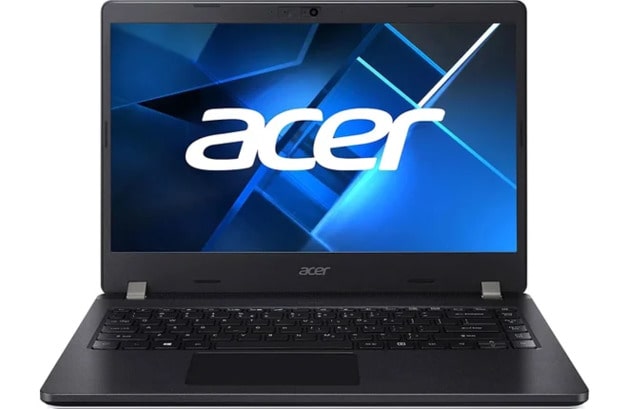
travelmate p214 laptop


Specifications

  • 14.0" FHD Display
  • Intel i7-1165G7
  • 16GB DDR4 RAM
  • 512GB PCIe NVME SSD
  • Intel Iris Xe Graphics
  • 1 x USB 3.2 Gen2 Type-C Thunderbolt 4; 3 x USB 3.2 Gen1; 1 x RJ-45; 1 x SD Card reader; 1 x headphone/speaker jack, 1 x HDMI 2.0; 1 x VGA
  • Windows 11 Professional 64-bit
  • Up to 13 Hour Battery Life
  • Weight – 1.625kg (approx.)
  • 3 (THREE) Year return to base warranty (on hardware only)


Bundle Deal

You take your shiny new laptop home and take delight in opening the box and unpacking it. But then, it looks really different once you start using. Most of your things are in the wrong place or missing – and of course not a single one of your files are there. One of the disappointing things about buying a new computer is that you end up spending hours and hours AND hours trying to get your documents and photos across, setup your email, redo your bookmarks/favourites and figure out why the printer won’t install. We take the pain away for you!

 Get the Bundle Deal and we’ll…

 Transfer all your stuff and set things up as you like it (there are some limits, but we’ll transfer the commonly used files and settings)

  • Come to your place and make sure it’s working on your Wi-Fi
  • Setup your printer(s).
  • Sit down with you and run you through it to make sure we’ve setup things as you like it

 Included for free also is …

  • Malwarebytes Antivirus (a full paid version)
  • A quality Logitech mouse
  • a laptop carry bag
  • and a screen cleaner kit

PTO

NOTE: We’ll also setup your laptop with an efficient and fresh installation of Windows that doesn’t include all the “bloatware” that slows your computer down before you’ve even got started.


Things to Note

For the Bundle Deal additional costs may apply for work outside the scope (documents, pictures, emails, contacts, desktop, downloads, videos, bookmarks & favourites) of the package deal or delivery outside our normal service area – Christchurch and surrounds up to 30km.
For the Bundle Deal, Software cannot be transferred and license keys or account details may be needed to re-install the software on your new laptop.


A Credit Card fee of 2.5% applies when paying by Credit Card.

 mascot small JPG


FREE Backup Check - no obligation

Call NOW to book a FREE check of your backup

There are many things that can cause you to lose all the data from your computer – your photos, emails, documents, accounts, invoices, family tree, music, movies and videos – and it’s not a question of IF, but of WHEN. We nickname the things that can go wrong a "disaster" because if you don't have a backup it will be heartbreaking.

Read more: FREE Backup Check - no obligation