Beware Computer Scammers
The most dangerous computer virus in New Zealand right now is not a virus at all. It is a phone call. In the scams we clean up most often at our Christchurch workshop, nobody hacked anything. The victim was talked into opening the door themselves: installing a remote access app, reading out a code, or typing their banking password while a stranger watched their screen. Kiwis lose close to $200 million a year to scams by conservative estimates, and NetSafe has warned the true figure is likely far higher because most victims never report it. After 29 years of fixing the aftermath, here is exactly how they get you, and how to slam the door.
The call that starts it all
Classic tech support scams begin with contact out of the blue. Someone claiming to be from Spark, Microsoft, your bank or even the "NZ Fraud Department" says your computer or account has a problem. The caller sounds professional, patient and helpful. That is the product. Scam call centres run scripts refined on thousands of victims, and they know more about persuasion than most salespeople.
The other common opener is the pop up. You are browsing normally when a full screen warning appears, often with a siren sound, saying your computer is infected and you must call a toll free number immediately. It looks like Microsoft. It is not. Microsoft never puts phone numbers in security warnings, and no legitimate warning ever locks your screen and yells at you. That pop up is just a webpage, and pressing and holding the Escape key, or restarting the computer, usually kills it.
The magic words: "I just need you to install something"
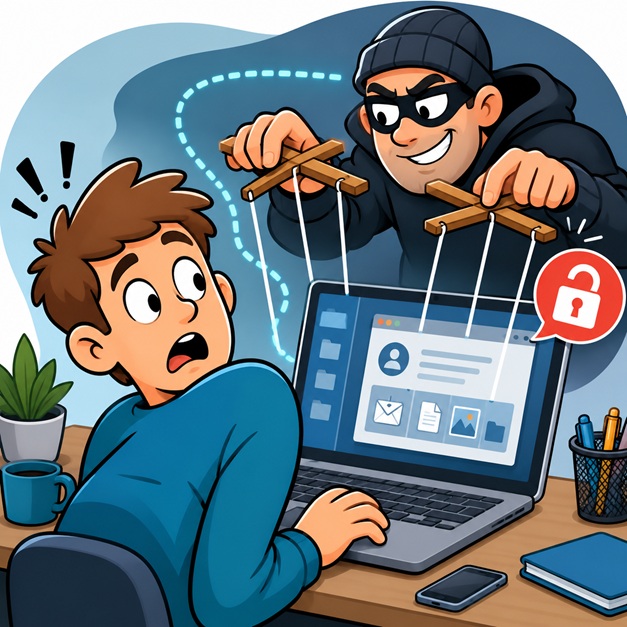
However it starts, the scam funnels to the same request. The caller asks you to install a remote access program, usually AnyDesk, TeamViewer, LogMeIn or UltraViewer, and read them the code on your screen. These are real, legitimate tools. We use similar software ourselves for genuine remote repairs. In a scammer's hands, that code is the key to your house.
Once connected, they can see everything you see and control your mouse and keyboard. The show that follows is theatre. They open harmless system windows full of scary looking text and call them "infections". They run a fake "scan" that is actually just a webpage. One favourite trick uses a built in Windows tool to display hundreds of routine log entries, then claims each one is a hacker. It takes about ten seconds and looks terrifying.
Then comes the money act. In the refund version, they claim you are owed compensation, "accidentally" transfer you too much using an edited screen, then tearfully beg you to send back the difference by bank transfer or gift cards. In the fix fee version, you pay hundreds of dollars for repairs that took nothing and fixed nothing. In the worst version, they ask you to log into internet banking "to verify the refund" while they quietly turn your screen black, using the blank screen feature in the remote software, and move money while you wait.
Why smart people fall for it
Victims are not silly. Scammers manufacture two feelings that switch off careful thinking: urgency and authority. Your account will be closed today. The hackers are in right now. Do not tell anyone, even your bank, because staff may be involved. Add AI to the mix and it gets nastier: cloned voices that sound like real family members, and phishing emails with none of the old spelling mistakes. Research on reported scams consistently shows people over 65 lose the most per incident, which is exactly who these call centres target, but we have cleaned up machines for people of every age, including IT professionals.
The red flags, on one hand
Five fingers, five rules. Nobody legitimate calls you first about a computer problem. Nobody legitimate asks you to install remote access software on a call they started. Nobody legitimate takes payment in gift cards, iTunes vouchers or cryptocurrency. Nobody legitimate asks you to log into your banking while connected to your machine. And nobody legitimate tells you to keep a secret from your own bank.
Scammed, or nearly scammed? Do this now
If someone is connected to your computer right now, turn it off or pull the internet plug. Rudeness is free; recovery is not.
Then, from a different device if possible, call your bank immediately and ask them to freeze or watch your accounts. Banks can sometimes claw back transfers if you act within hours. Change your email password first, because email resets every other password you own, then banking and anything with cards attached.
Do not trust the computer until it is checked. Remote access tools, hidden extra users and password stealing software can stay behind after the call ends. A proper clean up removes the remote software, checks startup programs and scheduled tasks, scans for keyloggers, and confirms nothing is phoning home. We do this every week at 160b Selwyn Street, and if your internet connection is safe to use, our own technicians can often do the sweep remotely while you watch every click, which is what legitimate remote support looks like: you called us, you can see everything, and you can end the session any time.
Finally, report it to Netsafe and your bank even if you feel embarrassed. Reports are how patterns get caught, and you will not be judged. Roughly one in ten Kiwis encounters a scam attempt every single week, so you are in very large company.
Quick answers
Can scammers access my computer after I hang up? Yes, if remote software was installed it can allow return visits until it is removed. Get the machine checked.
Should I pay a scammer to get my files back? No. Payment marks you as a payer, and repeat targeting is common. Talk to your bank and a technician first.
Is remote computer support safe? Yes, when you initiate it with a company you can verify, watch the session, and can disconnect at will.
What do I do if I gave out my password? Change it everywhere it is used, starting with email, and turn on two factor authentication.
If something feels wrong on your computer, or a caller has already been inside it, call 03 666 4357. Our technicians average over 15 years of experience, we are rated 4.8 from 427 Google reviews, and every job carries our 120% guarantee. One call to us beats one code to them.